5 Ways to Find Related Reading for Any Piece of Writing
Before you publish, you want to know what's already out there on your topic — for inspiration, as an originality check, and so you can link to the best of it. But "related reading" is slippery. A piece worth writing touches several ideas at once, and the articles that matter most are the ones sitting at the same intersection your draft does, not the ones that merely rank #1 for a single keyword. (That overlap signal is the whole subject of our pillar guide, how to find out what's already been written about your topic.)
Here are five ways to find that related reading, ordered from fastest to most hands-on. None of them is the "right" one for every job — the last section is a cheat sheet for picking. Most writers end up using two or three together.
1. Paste the whole draft into a concept-based tool
The fastest path is to stop picking search terms by hand and let the writing itself be the input. That's what BeingSaid does: you paste your draft — or an outline, or a messy notes file — and it reads the piece, pulls out the 3–7 core ideas it's actually about, searches each one, and ranks the results by how many of your ideas surfaced them. The articles at the top are the ones covering your ground, not just matching a word you happened to type.
The reason this beats a manual keyword search is the same reason modern search engines moved past exact-match: ideas beat keywords. You're too close to your own draft to see its separate topics as separate searches, and the highest-value step — noticing which articles keep resurfacing across several of those searches — is exactly the part human attention is worst at. A tool does it exhaustively, in under a minute.
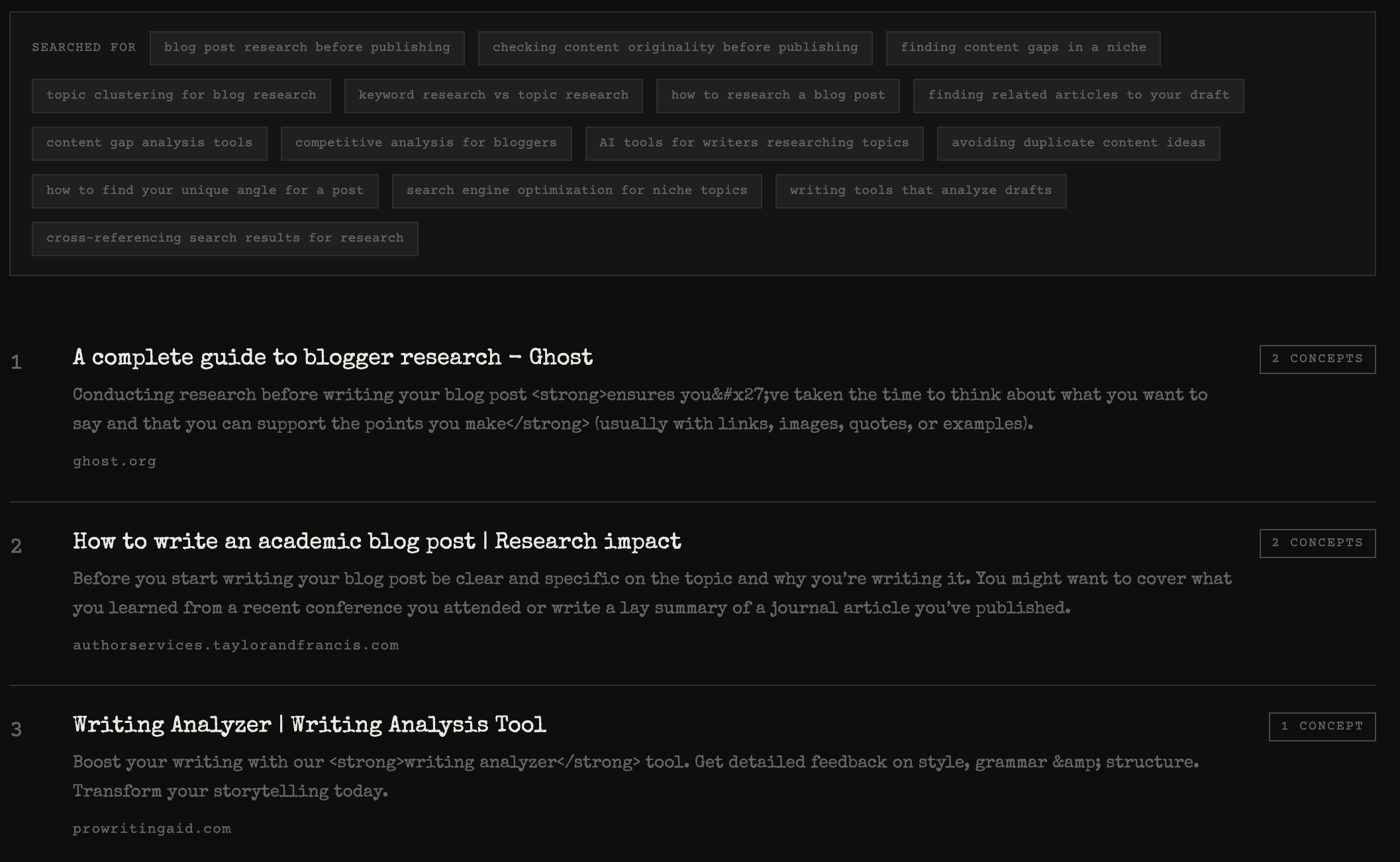
Best for: a draft or outline you want scanned against the open web in one shot. Weaker for: finding academic papers specifically, or staying on top of a topic over time — see methods 4 and 5.
2. Search each core idea separately — and mine Google's own "related" features
If you're doing it by hand, the trick is to run several searches, not one. Break your piece into its distinct ideas and search each. Then let Google hand you the adjacent queries you didn't think of. Two features do this for free: People Also Ask, the expanding set of related questions that appears in over 80% of English searches, and Related searches, the block of related terms at the bottom of the results page. Both are Google telling you what sits close to your query in intent — follow the ones that overlap your draft and you'll surface reading a single search would have buried.
Skim, don't read, on this first pass: flag anything that looks like it overlaps, keep a running note of which articles show up under more than one of your searches, and move on. That crossover list is your real shortlist.
Best for: free, no-signup research and discovering angles you hadn't considered. Weaker for: the tab-management overhead — this is the slow, manual version of method 1.
3. Follow the citations and links in the best piece you already found
Once you've found one genuinely relevant article, it becomes a map. Read its introduction and links, then scroll to its reference list or sources — the pieces it cites are, by definition, related to your topic, and often better than what search gave you. This is "backward" reference mining: walking from a good article to its ancestors.
You can also go forward — find newer pieces that cite the one you're holding — which is how you catch what's been said since. It's slower than a search, but the signal quality is high: you're borrowing the judgment of an author who already did the reading.
Best for: going deep on a topic once you have a strong anchor piece. Weaker for: breadth — you only see what your starting article happened to link to.
4. Use a semantic or citation-graph discovery tool
For research-heavy or academic writing, a family of tools maps the relationships between papers for you. Give them one "seed" paper and they surface its neighbors. Connected Papers builds a visual graph of related work from overlapping citations; Research Rabbit and Litmaps do similar citation-network discovery, while semantics-based tools like Elicit and Consensus analyze abstracts to answer plain-text questions. Most are built on the Semantic Scholar database of 200M+ papers.
Best for: literature reviews and any writing grounded in academic sources. Weaker for: general blog, newsletter, or marketing writing — these tools index scholarship, not the open web, so they'll miss the essays and articles most non-academic pieces are in conversation with.
5. Set a standing alert and let related reading come to you
The first four methods are one-time scans. If you write about a topic repeatedly, flip it around and have new related reading delivered. Google Alerts emails you whenever something new is published that matches your criteria, and piping those alerts (plus blog and news feeds) into an RSS reader like Feedly collects everything in one place. Instead of researching from scratch each time, you draft against a backlog of relevant reading you've already been fed.
Best for: ongoing beats and recurring topics. Weaker for: a one-off piece you need to research today — an alert only helps going forward.
Which one should you use?
If you have a draft or outline right now and want the fastest honest scan of the open web, start with method 1 — paste it into BeingSaid and let it find the overlap for you. Reach for the manual search (2) when you want to explore angles or don't want to sign up for anything, citation trails (3) when you've found one great anchor and want to go deep, graph tools (4) when your sources are academic, and standing alerts (5) when it's a topic you'll come back to. Most good research combines a fast scan to get the lay of the land with one deeper method to mine the pieces that matter.
Whichever you use, the reading is still yours: skim the shortlist, note what everyone repeats, and pay attention to what none of them say — that gap is usually your angle.
Try the one-paste version. Every new account gets 5 free searches — no card required, just sign in with Google. Paste your text and see what's being said →