How to Find Out What's Already Been Written About Your Topic
You have an idea for your next blog post or newsletter issue. Before you spend a weekend writing it, you want to know what's already out there. Partly for inspiration — someone may have found an angle you haven't. Partly as an originality check — if a well-known blogger published your exact take last month, you'd rather know now. And partly because linking to the best existing pieces makes your own post stronger.
So you google your idea. One search returns hundreds of results. But here's the catch: a blog post worth writing is almost never one search term. Say you're writing about why your side project taught you more than your job. That piece touches side projects, learning by doing, career growth, and creative motivation — four different searches, each with its own pile of results. The posts that matter most to you are the ones that show up across several of those searches, because they sit at the same intersection of ideas your draft does. And that's exactly the signal that's nearly impossible to spot by hand. You open a lot of tabs, you skim a lot of posts, and when the same essay surfaces in your third search you might notice — or you might have glazed over forty tabs ago.
There are plenty of guides on researching a blog post, and they mostly agree: pick your topic, search it, skim the top results, find your gap. What none of them tell you is how to catch the overlap — which articles keep resurfacing as you search each of your piece's ideas. That crossover is the strongest "this post covers your ground" signal there is, and the standard advice skips it entirely. This guide is built around it: how to track it by hand, and how BeingSaid turns the whole thing into one paste-and-run.
The by-hand version
Most writers do some version of this before publishing, usually half-consciously. Pros do it deliberately — some freelance writers spend more hours researching a post than writing it, because knowing the surrounding conversation is what separates a post with a point of view from a rehash of the top ten results. Done deliberately, it's five steps.
1. Say what the piece is actually about — in one sentence
"Side projects" is a subject. "My side project taught me more than my job did" is a post. Getting your idea into one sentence forces out the concepts inside it, and those concepts are what you'll search. If you already have a draft or an outline, the sentence is usually hiding in your intro.
Before you open a single tab, jot down what you already know and what questions you have. Ghost's guide to blogger research makes this the first step for a good reason: if you start by reading what everyone else wrote, your post will end up sounding like everyone else's. Your take is the raw material; research is there to sharpen it, not replace it.
2. Turn the idea into several searches, not one
Write down every distinct idea your piece touches, plus the ways other people might phrase them. "Side projects" is also "passion projects" and "building in public." "Learning by doing" is also "self-taught skills." If you can only come up with one search, that's usually a sign you're still holding a subject, not a post — "side projects" is a category; a post is what you have to say about them. Go back to your one sentence and pull the ideas out of it.
3. Skim each search — don't read yet
The first pass is a scouting trip. Is this topic saturated (you'll need a sharper angle) or nearly empty (you may have found an open lane)? Scan titles and descriptions, flag anything that looks like it overlaps with your draft, and keep moving. Reading deeply now just burns your writing time.
4. Track which posts keep showing up
This is the step from the intro — the one the other research guides skip, and the one that matters most. Keep a running list — a notes file, a spreadsheet, whatever — of which articles appeared under which searches. A post that surfaces for three of your five ideas is far more likely to be covering your ground than one that ranks #1 for a single term. Repetition across searches is the relevance signal, not position within any one search.
5. Read the survivors and look for the gap
Now read the handful that kept appearing. Note what they cover, what they skip, and where you disagree. Content strategists call this finding the content gap — the thing your readers want that nobody has written yet. What everyone says is your competition; what nobody says is your post. If your planned take is already out there, this is where you find out — and where you find the twist that makes yours worth publishing anyway.
Done honestly, this works. It's also a couple of hours of tab management before you've written a word, and step 4 — the highest-value step — is exactly the part human attention is worst at.
The one-step version
BeingSaid does steps 2 through 4 for you. Paste in your draft and it finds the posts most like yours across the web — not by matching keywords you picked, but by reading what your piece is actually about.
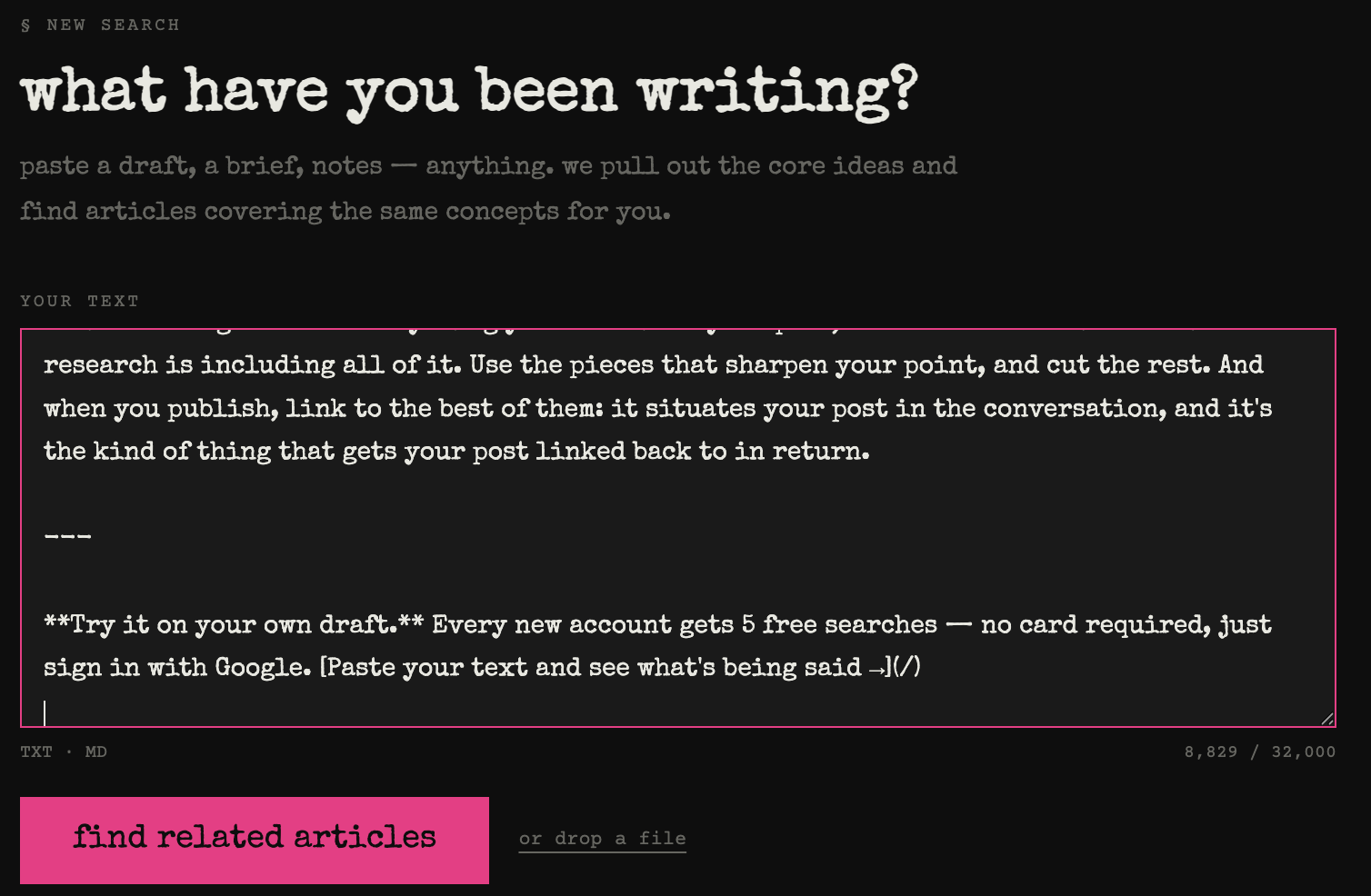
Paste your text. A draft, an outline, a messy notes file — anything up to about 32,000 characters, pasted directly or uploaded as a .txt or .md file. You don't have to boil it down into search terms first; the writing itself is the input.
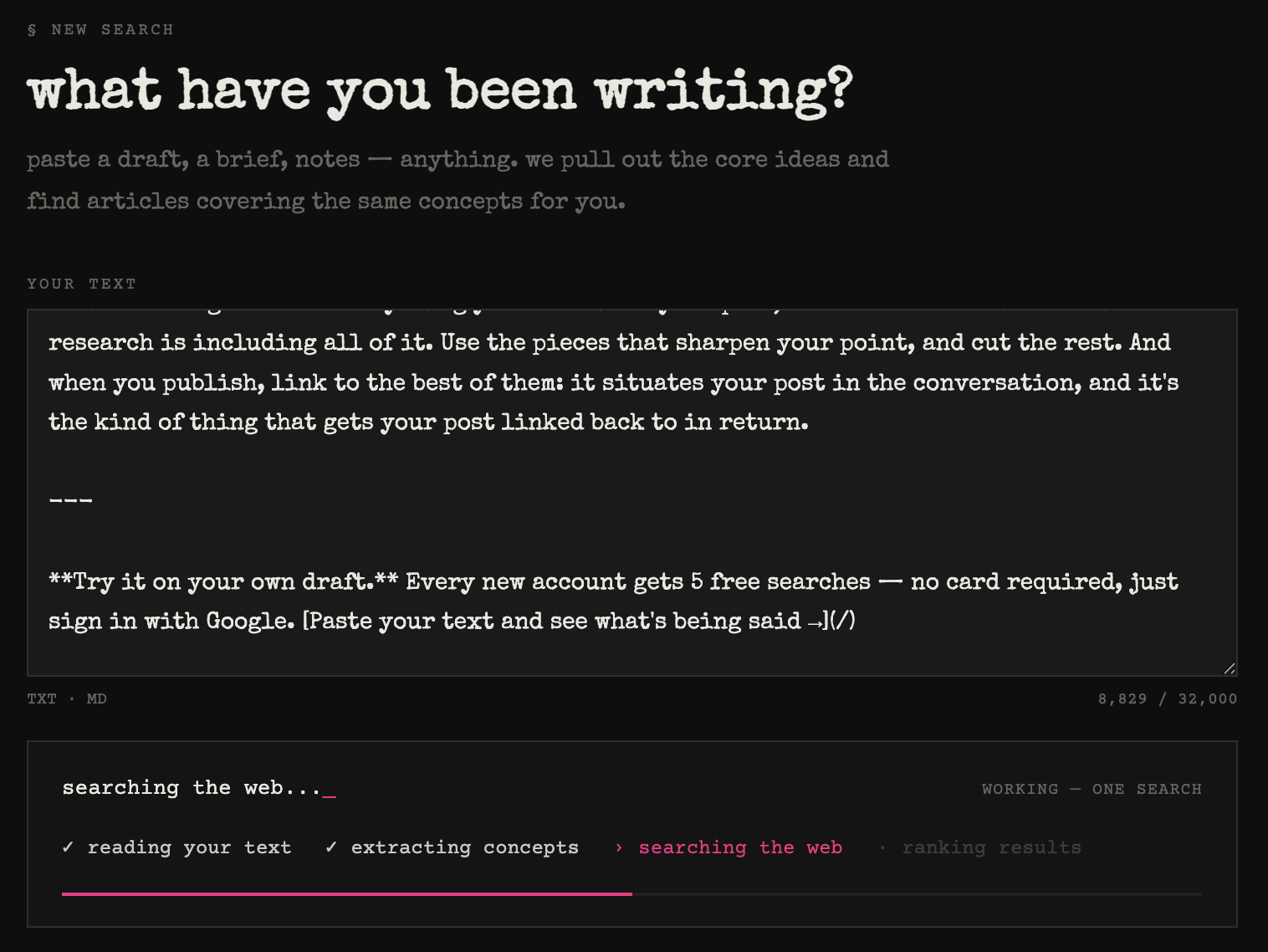
BeingSaid reads it and pulls out the ideas. Instead of you brainstorming search terms, it identifies the 3–7 core ideas your piece actually covers — including the ones you wouldn't have thought to search, because you're too close to your own draft to see them as separate topics. This matters more than keyword-matching: bloggers have learned that topics beat keywords — modern search understands ideas, not exact word strings — and BeingSaid works at the same level, matching your draft's ideas rather than its literal phrases.
Every idea gets searched, and the results get cross-referenced. This is step 4 from the by-hand version, done exhaustively: every result from every search is compared, and articles are ranked by how many of your ideas surfaced them. The whole run takes under a minute.
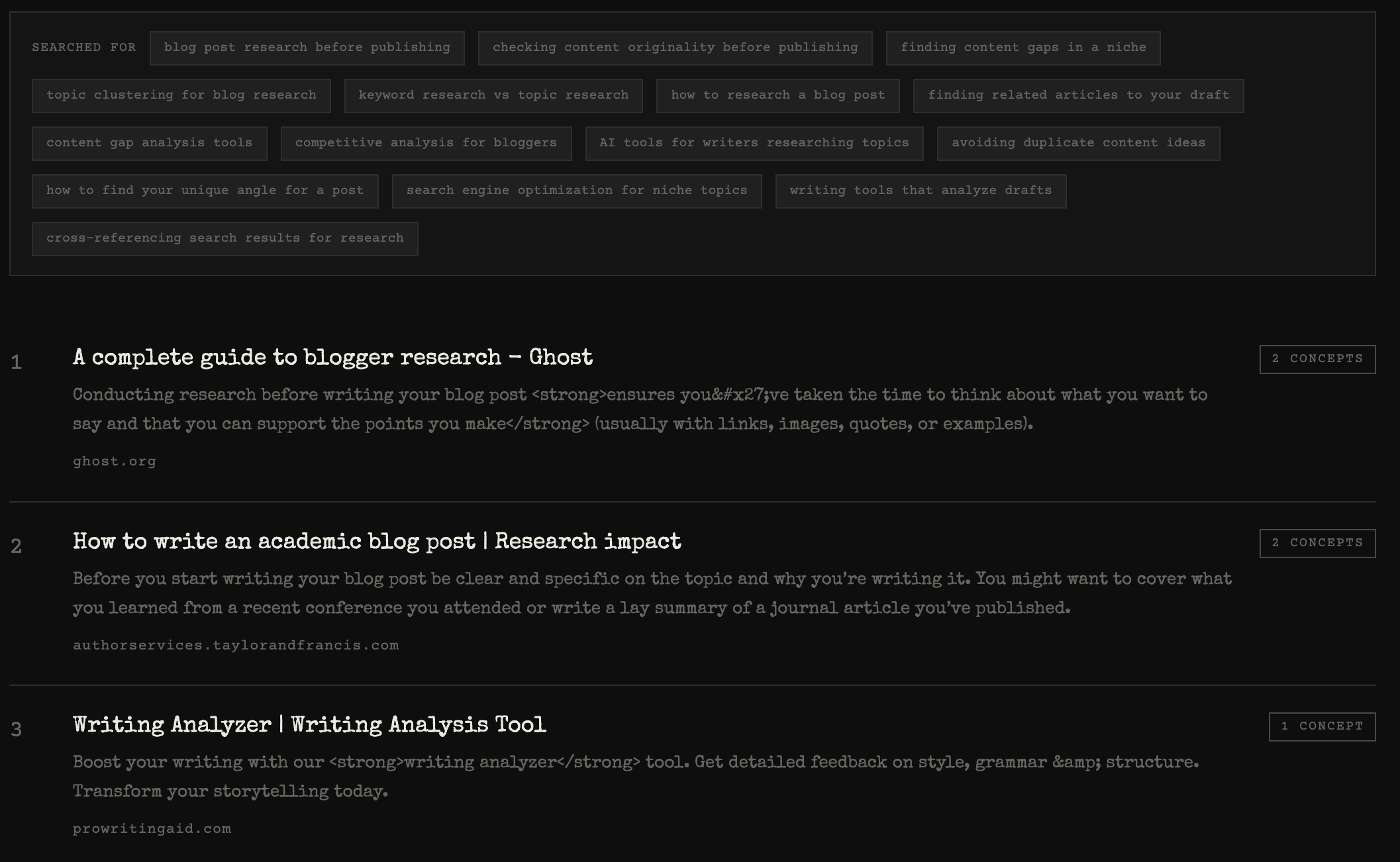
You get the pieces most like yours, ranked. The top results are the posts sitting at the same intersection of ideas as your draft — each showing which and how many of your ideas surfaced it, with a "see more" behind the top 5 if you want to go deeper. The extracted ideas are listed too, so you can sanity-check what it searched.
The bonus signal: will anyone find your post?
The idea list is useful beyond finding related reading. If BeingSaid pulls seven ideas out of your draft and no article matches more than one of them, that tells you something: your piece spans topics nobody searches for together. Sometimes that's the good news — the intersection is unclaimed and it's yours. But it's also a warning that search engines won't know how to index the post and readers won't know how to find it. Better to learn that before you hit publish than three months into no traffic.
What to do with the results
The tool hands you the shortlist; the reading is still yours. Skim the top matches, note the points they all repeat, and pay attention to what none of them say — that gap is your angle. Resist the urge to fold everything you found into your post; the most common mistake with research is including all of it. Use the pieces that sharpen your point, and cut the rest. And when you publish, link to the best of them: it situates your post in the conversation, and it's the kind of thing that gets your post linked back to in return.
Try it on your own draft. Every new account gets 5 free searches — no card required, just sign in with Google. Paste your text and see what's being said →